

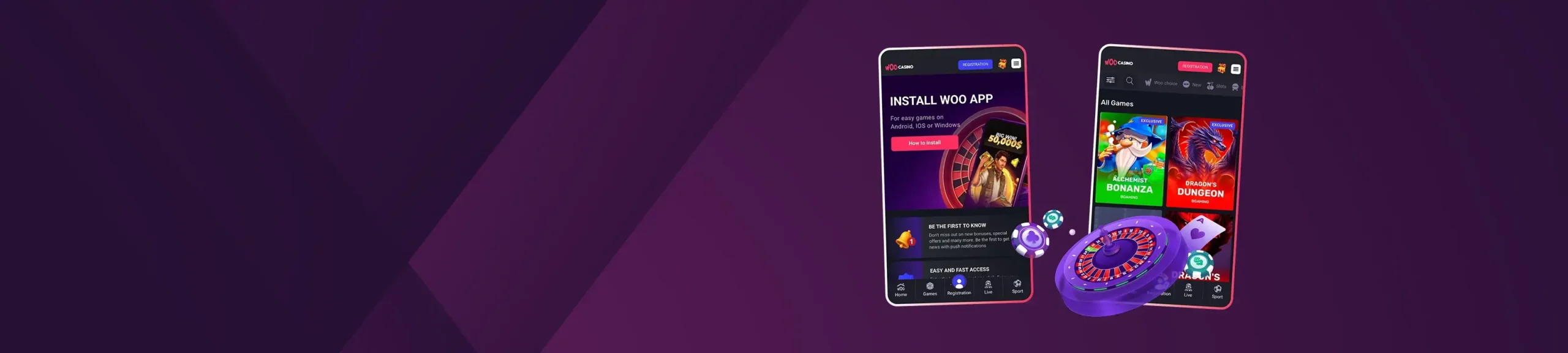
WooCasino App for iOS or Android
RegistrationWooCasino has one of the best mobile experiences for gambling enthusiasts out there.
There’s no App Store or Google Play download. Instead, the site runs as a fast, lightweight web app in your browser. Add it to your home screen for one-tap access and full-screen play. It looks and behaves like a native app, updates itself automatically, and takes virtually no storage.
Everything you expect on a desktop is here on mobile. You will be able to enjoy the same cashier, bonuses, KYC, and account tools. Ready to set it up? Below, we’ll show you how to add WooCasino to your home screen on both iOS and Android.

 Download For iOS
  Download For Android
 WooCasino Mobile App for iOS
On iPhone and iPad, the WooCasino mobile app runs fast and is simple to navigate. You get quick search, tidy provider filters, and sharp live-table streams. Add it to your home screen for instant, app-like access, and you’ll still use the same cashier, bonuses, and KYC as on desktop.
How to Download and Install?
To install WooCasino iOS on your device, all you have to do is:
- Open Safari and visit the official Woo site
- Log in (or sign up)
- Tap: “Share” → “Add to Home Screen” → “Add”
- Launch from the new icon for full-screen “app” mode
System Requirements
Any modern iPhone/iPad with a current iOS version and a stable connection (Wi-Fi or 4G/5G) will do. Keep a little free storage for cached assets and disable strict power-saver modes during long sessions to smooth out performance.
Compatible Devices
Works broadly across recent iPhones and iPads. As a simple rule of thumb, if your device runs the latest iOS comfortably, it will handle the lobby, slots, and live tables just fine.
RegistrationWooCasino App for Android
Android users get the same clean interface and can enjoy fast search, clear provider tabs, and smooth live-dealer streams. The PWA runs smoothly and uses very little storage, plus it updates itself in the background.
It’s stable on Wi-Fi and 4G/5G, recovers quickly from brief signal dips, and keeps everything in one place: The same cashier, Woo Casino bonuses, KYC, and account tools that you use on desktop.
How to Download and Install?
To get the WooCasino Android version, all you have to do is:
- Add to Home Screen (recommended): Open Chrome → visit the site → log in → menu → “Add to Home screen” → “Add”.
- In-site Install Button: Some users see a “WooCasino App” button in the site’s left panel. Tap “Install” to pin the web app instantly.
Avoid third-party WooCasino APK mirrors. If you want to enjoy the safest experience, only use the official WooCasino website.
System Requirements
Android 9.0+ with 3GB RAM is a comfy baseline for modern slots and live tables. Keep a steady Wi-Fi/4G/5G connection, close background apps before a live session, and let the stream auto-adjust quality if your signal dips.
Compatible Devices
Most recent Samsung Galaxy, Google Pixel, Motorola, OPPO, and Xiaomi phones/tablets run the mobile lobby smoothly. Budget models work, too — just keep the background apps minimal for best results.
Mobile Casino Games
You get the full lobby on mobile. Nothing is stripped back, as it mirrors the desktop closely and lets you jump between devices without missing a beat. The game line-up covers everything from classic pokies and Megaways to cluster-pays, hold-and-win, bonus-buy titles, instant-win games, and a complete WooCasino live-dealer suite. If you want to test the waters first, many titles include a demo mode, which is ideal for trying features, volatility, and bonus rounds with zero risk.
Our favourites are:
- Alchemist Bonanza
- Dragon’s Bonanza, and
- Magnify Man
The live casino feels polished on a phone, with adaptive streaming that adjusts to your connection, quick re-bet options, and in-table chat. Both portrait and landscape work well, and the stream stays smooth to reduce hiccups. Finding games is easy, thanks to type-ahead search, tidy provider filters, and a recently played section — you can even pin favourites for faster access later.
Performance holds up, too: smooth scrolling, snappy tile loading, and smart caching keep the lobby responsive, even on older devices. Do note that game availability can vary by region, so if something isn’t listed, the lobby often suggests close local equivalents for you to dive into something similar without hunting around.
RegistrationMobile Website Version
Don’t want to install anything or add apps to your home screen? You can just play in your browser. The site adapts to your screen, the top bar hides as you scroll, and games load quickly, so the lobby feels smooth. Deposits and withdrawals are simple on mobile, and you can upload KYC documents straight from your camera roll. Payments work with cards, e-wallets, and crypto like BTC, ETH, LTC, DOGE, and USDT.
Deposits are usually instant. For supported methods, withdrawals can be very fast, sometimes under two hours, while bank transfers may still take a few business days. The exact timing depends on your verification status and the payment method you use.
Frequently Asked Questions
Why Isn’t There a Native App in the App Store/Google Play?
How Do I Install the Web App?
Is an APK Required?